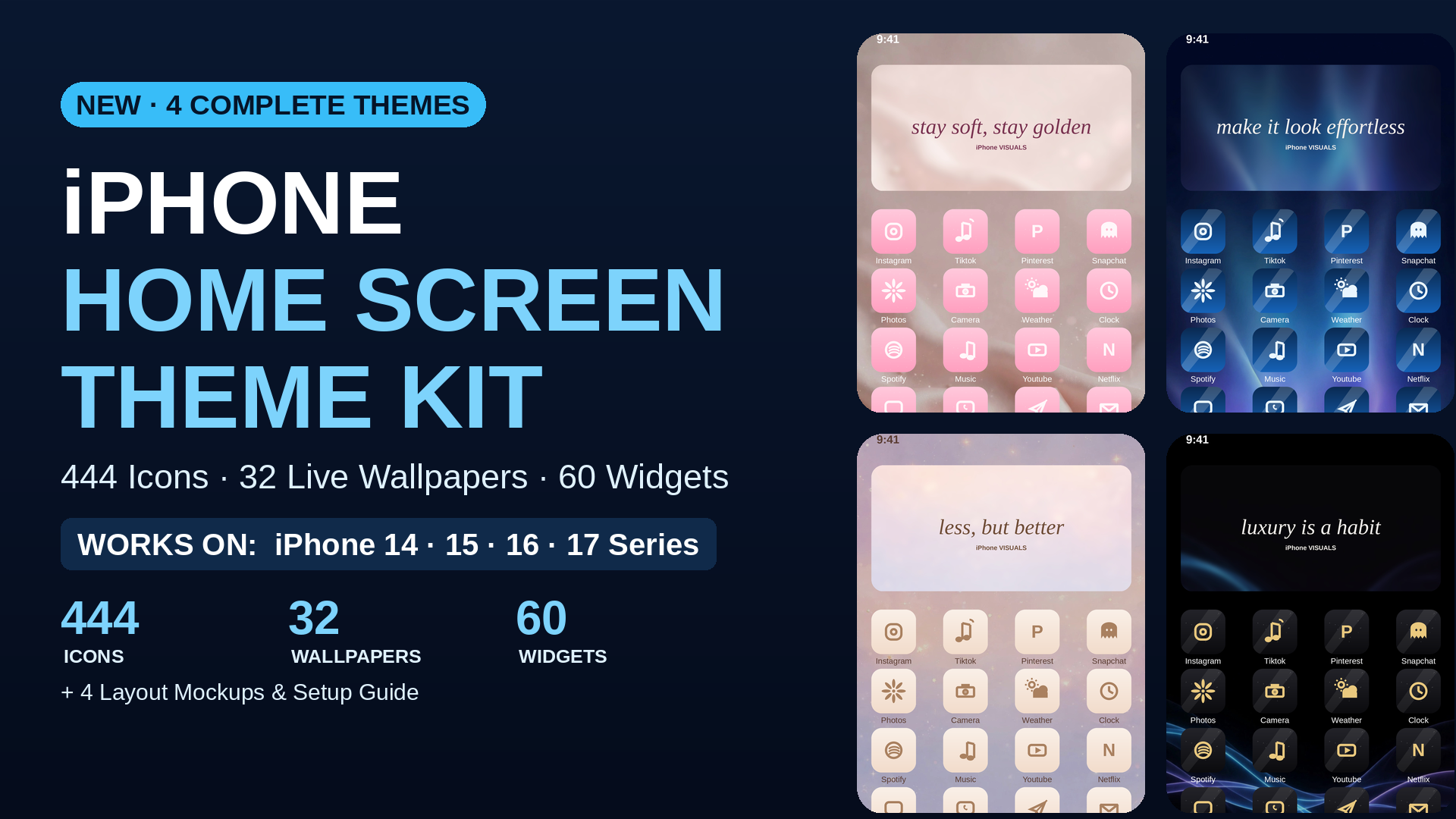
Home screen themes
One kit. Four complete looks. Every icon, wallpaper and widget cover designed to belong together, so your phone looks intentional instead of assembled.
One time payment. Instant download on Gumroad. Free updates when new iOS versions land.
Honest answers
You need Apple's free Shortcuts app for custom icons, which almost every iPhone already has, and the setup guide shows the exact steps with screenshots. Widget covers use the photos you choose in your widget app of choice, and the guide explains the free route.
Live wallpapers animate on the lock screen on iPhone models that support Live Photos as wallpaper in iOS 26. Every theme also includes still versions of all 8 wallpapers, so the look works either way.
Of course. The files are organised by theme, and plenty of people pair Midnight Luxe icons with an Azure Glass wallpaper. They are your files once you download them.
One ZIP file with all four themes, the wallpapers, widget covers and the setup guide PDF inside, delivered instantly by Gumroad. The ZIP was integrity checked before this page went live.
 iPhone Visuals